
In this article:
⤷ Why Your Version Matters
⤷ Changing Your Version
Why Your Version Matters
Mythrend runs natively on Minecraft 1.21.4. While newer versions can connect thanks to ViaVersion, switching to 1.21.4 gives you the most accurate experience, especially if you're noticing odd block textures, missing items, or other visual quirks. See Supported Versions & Mods for more details.
Changing Your Version
Before You Begin
By default, Minecraft is set to the most current version of the game. Changing your version requires creating a new launcher installation set to the version you want. Switching versions doesn't affect Mythrend itself, but if you play singleplayer worlds, it's a good idea to back up your worlds first, as opening a world in an older version can sometimes cause issues. See Minecraft's guide on backing up your worlds for more information.
Step 1:
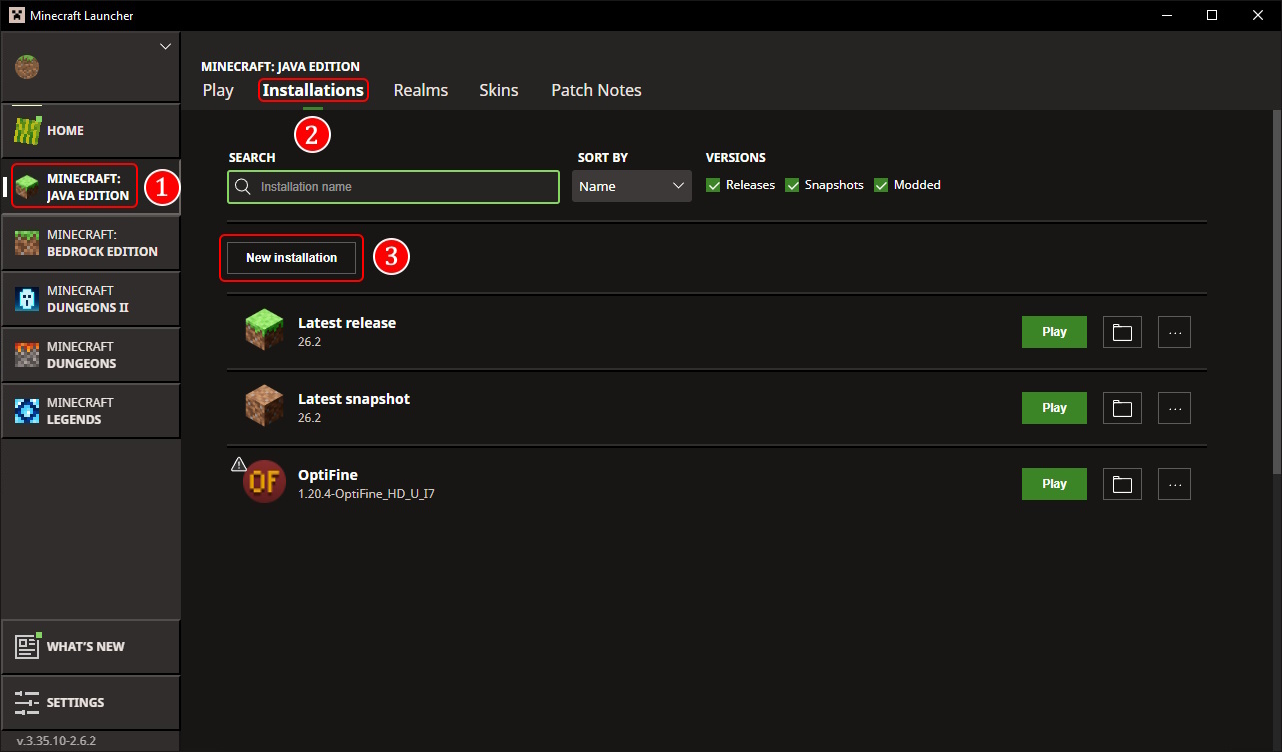
Open the Minecraft Launcher and click Installations on the launcher start page.
Step 2:
Click New installation.
Step 3:
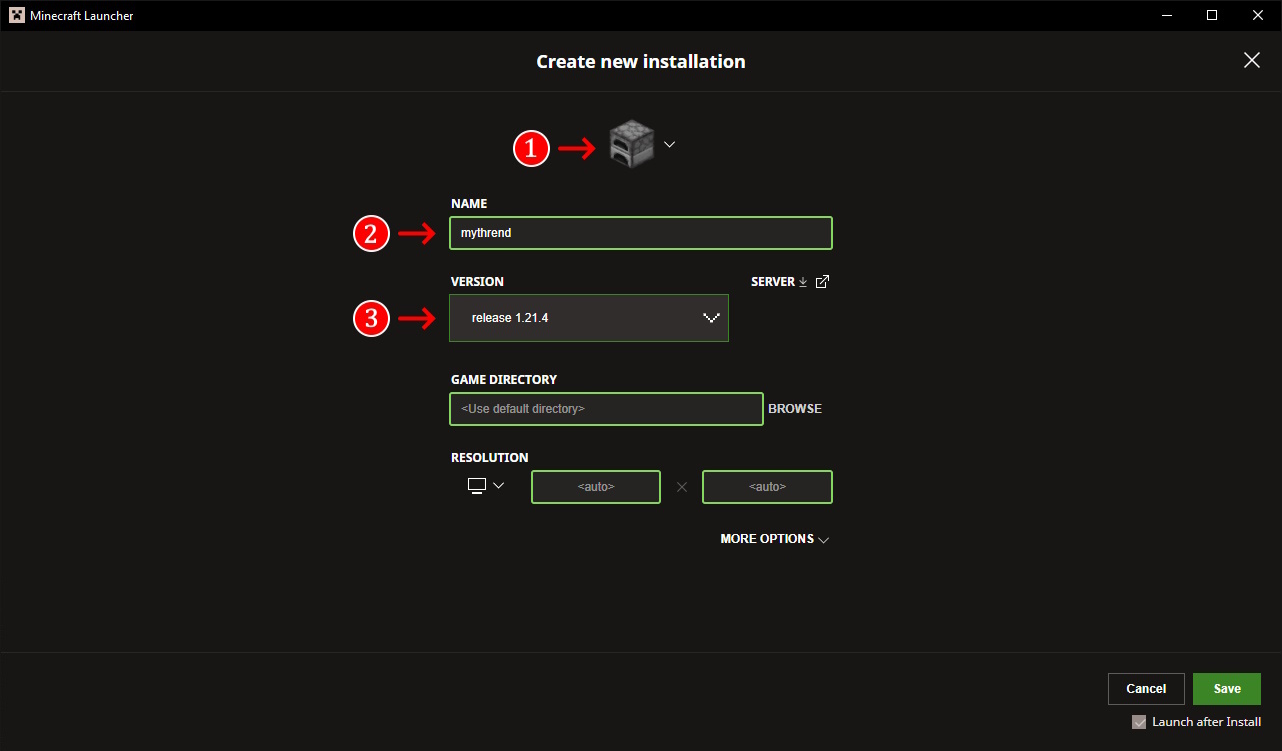
On the Create new installation page, choose a BLOCK and NAME for the installation and select release 1.21.4 from the VERSION list.
Step 4:
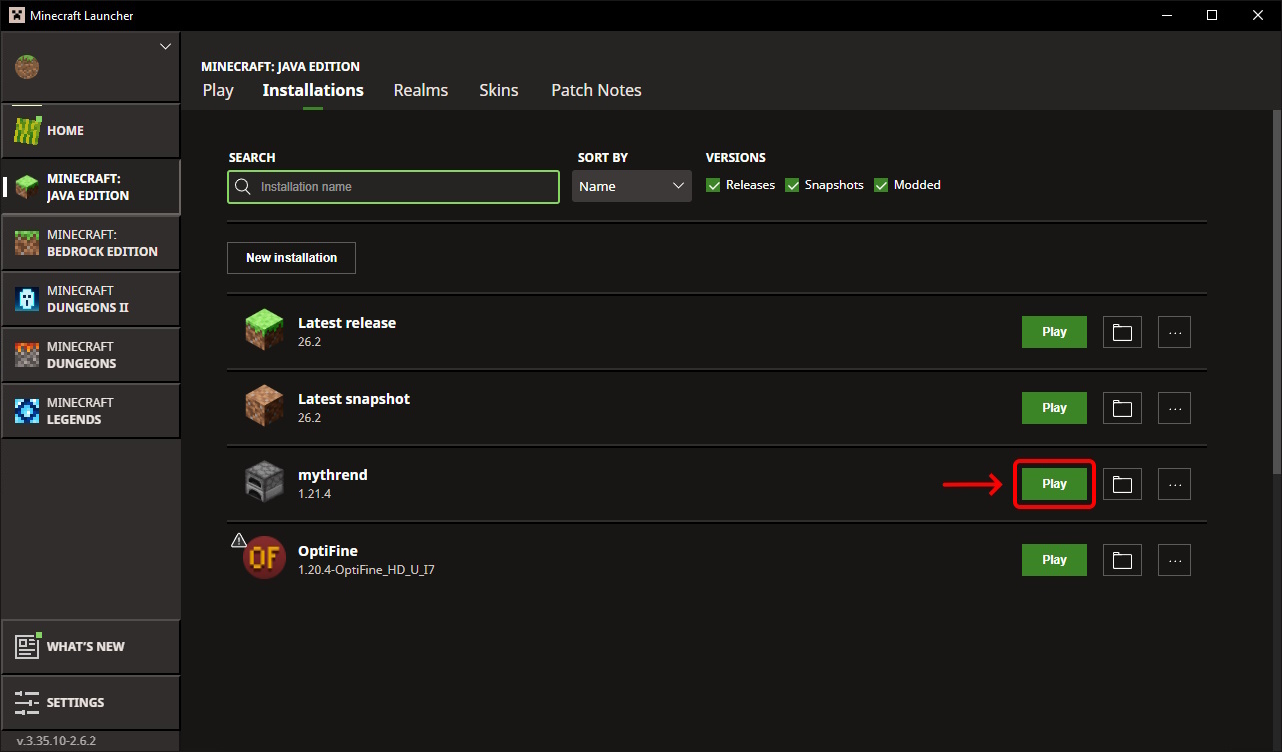
Click Save to save the installation, then click Play next to the newly created installation.
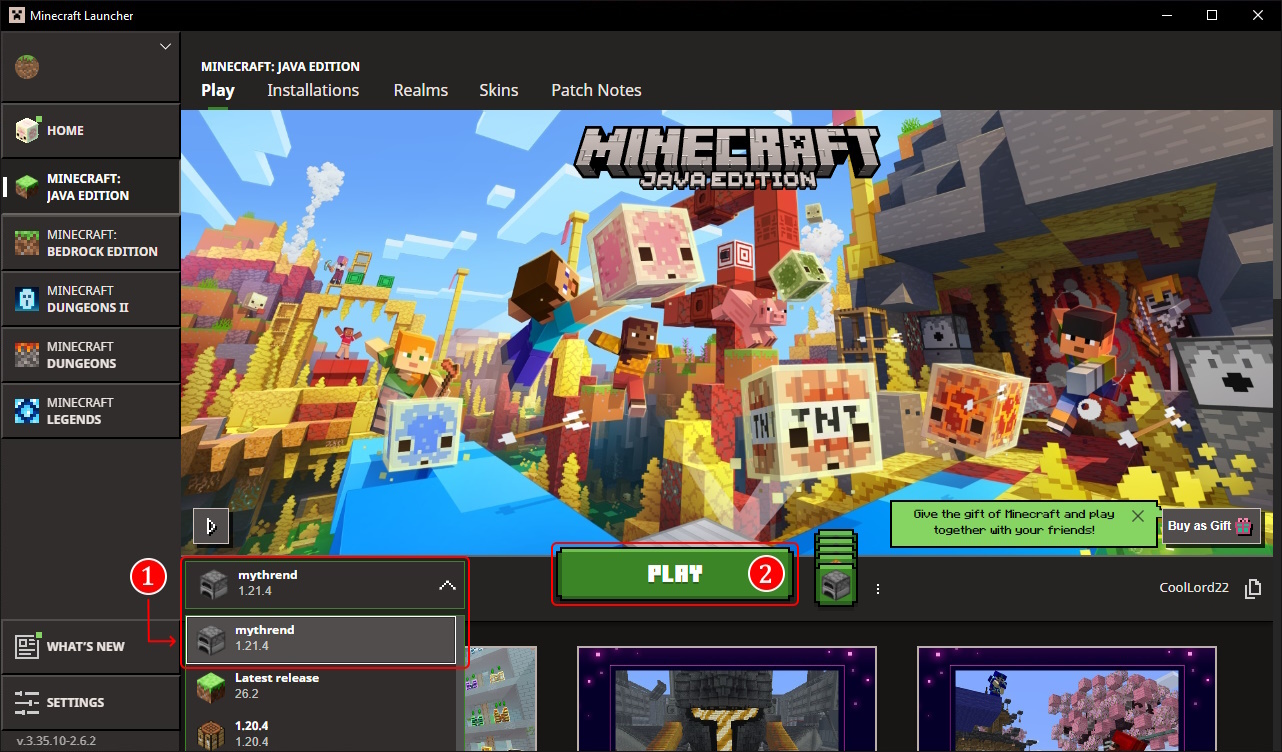
From The Launcher Landing Page
Find your saved installation in the list and click it to switch to that version, then click PLAY.
Still having trouble after switching versions? Contact Support and we'll be happy to help.