

In this article:
⤷ Logging In to the Store
⤷ Browsing & Product Pages
⤷ Your Cart & Coupons
⤷ Checkout & Payment
⤷ Receiving Your Purchase
⤷ Subscriptions
Logging In to the Store
Visit the Mythrend Store and log in with the Minecraft username you'd like to make the purchase for.
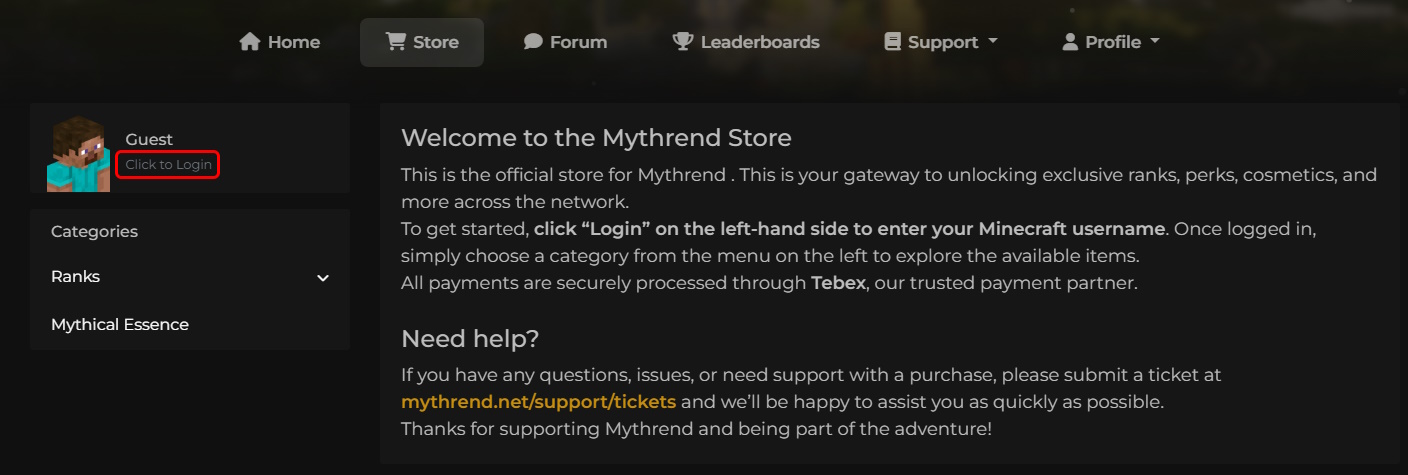
This is completely separate from your Mythrend website account, you don't need one to make a purchase, just your Minecraft username.
Browsing & Product Pages
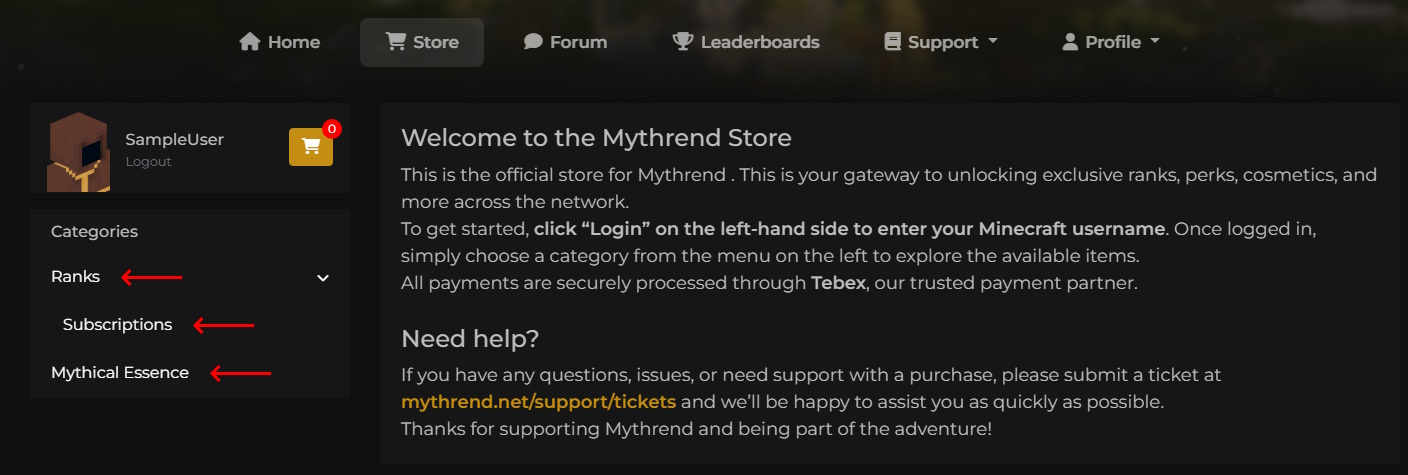
The left-hand menu shows everything available to purchase, including ranks, subscriptions, and in-game currency.
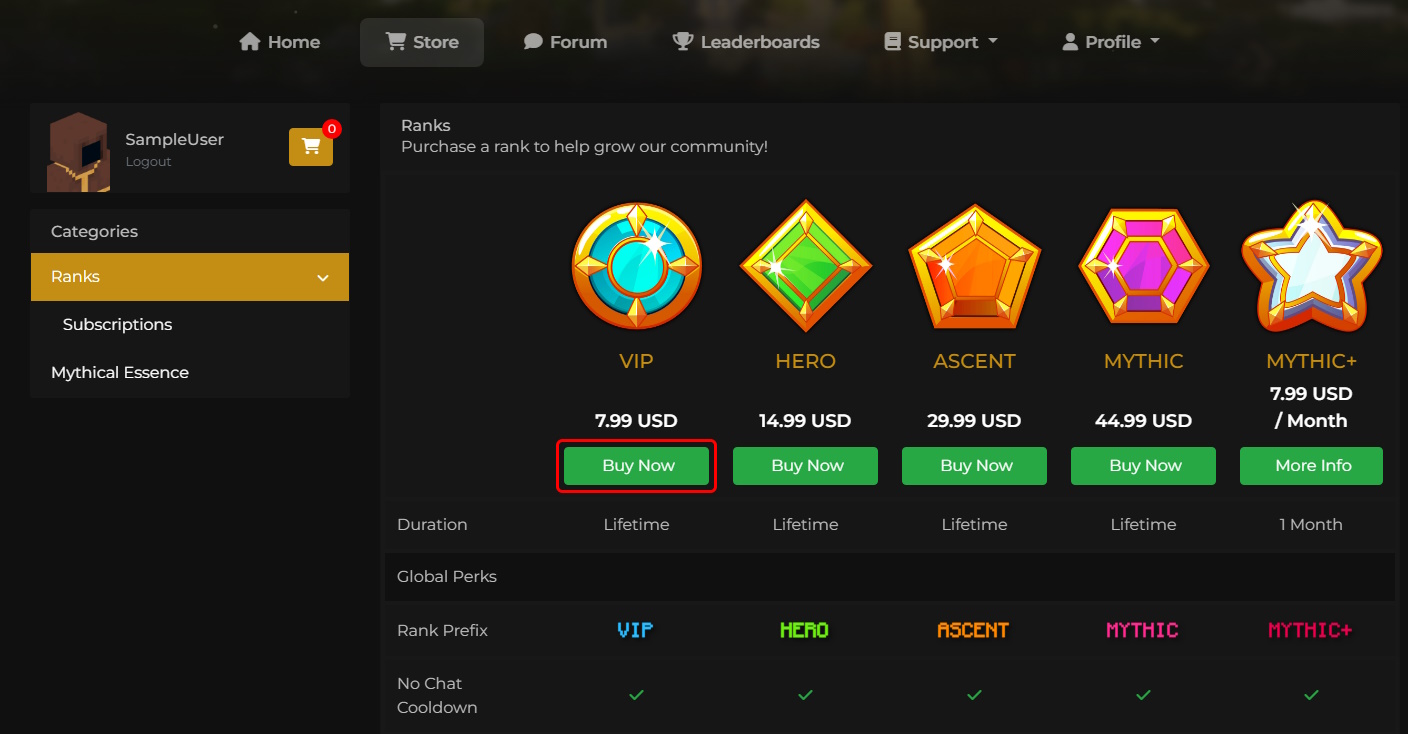
Once you've found something you're interested in, click Buy Now to view its product page, which includes a full breakdown of what's included.
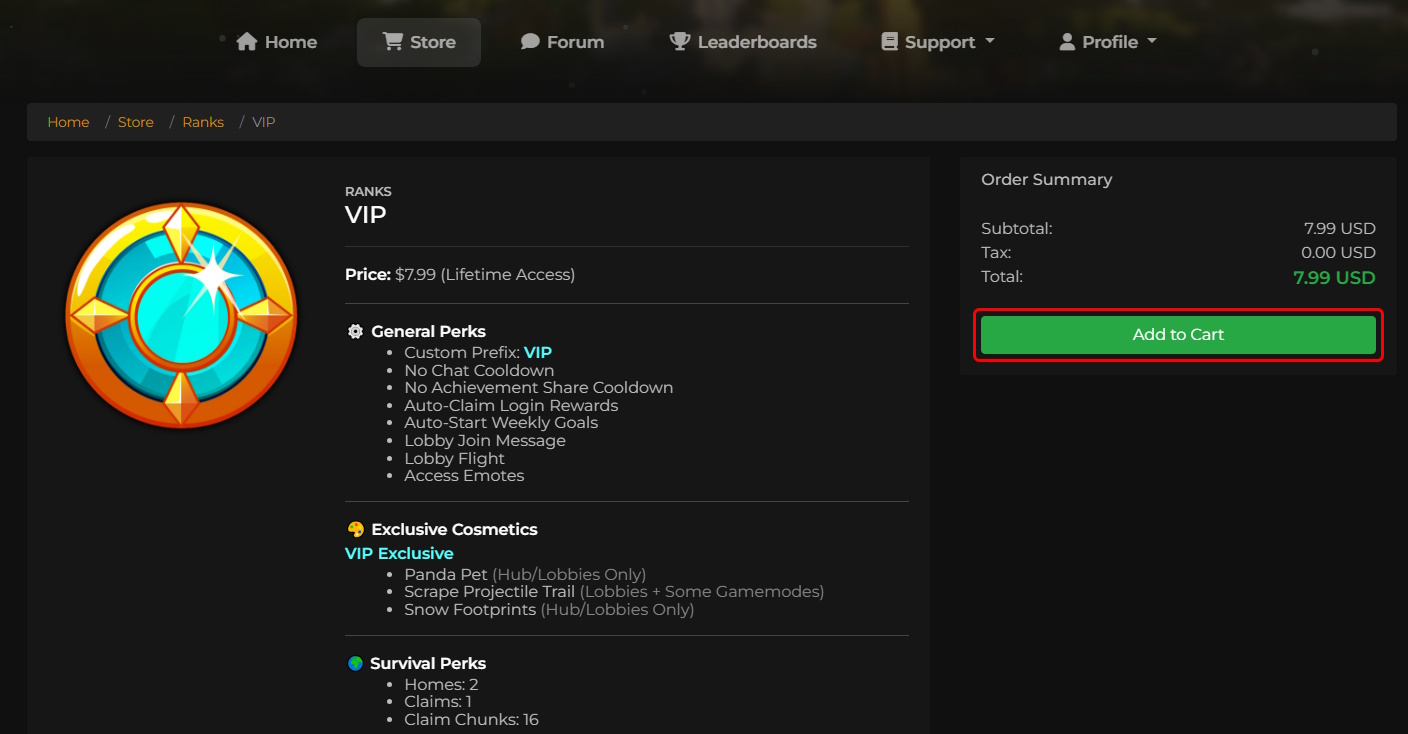
From here, click Add to Cart to continue.
Your Cart & Coupons
If you have a coupon code, gift card, or content creator referral code, you can enter it from your cart before checking out.
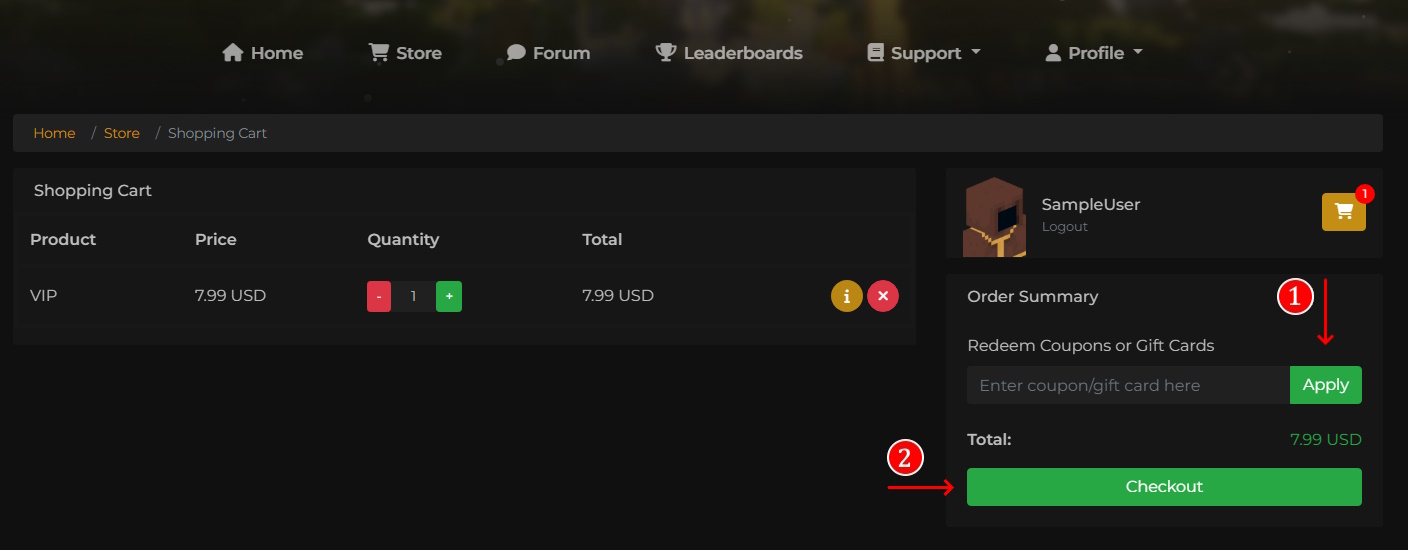
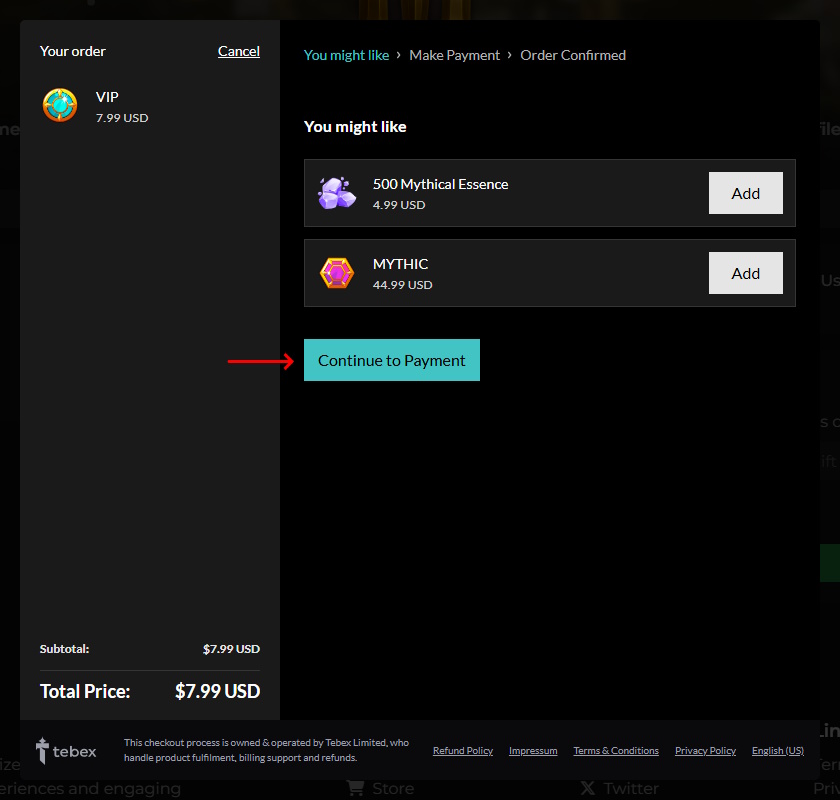
Click Checkout from your cart to continue. You'll be shown a few suggested add-ons based on common purchases, feel free to add any that interest you, or click Continue to Payment to move on.
Checkout & Payment
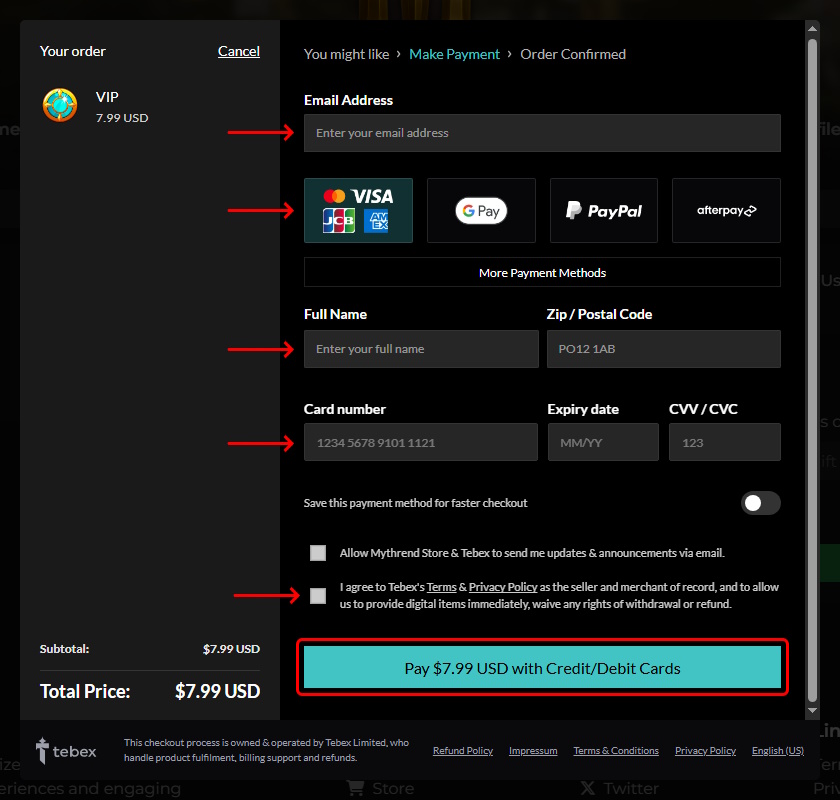
Enter your payment details through Tebex's secure checkout, our store's payment processor. Review and accept the relevant terms and policies, then complete your payment.
Receiving Your Purchase
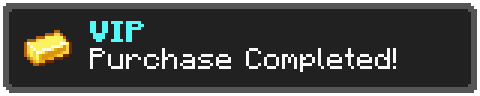
Purchases are delivered automatically, but not always instantly. Our store processes new orders roughly every 2 minutes, so it may take a few minutes for your purchase to apply in-game.
Logging in also triggers a check for any pending purchases, so if you don't see your perks right away, try logging out and back in.
Subscriptions
MYTHIC+ is Mythrend's only subscription product, and requires already owning MYTHIC to purchase. If you don't already own MYTHIC, you can add it to your cart alongside MYTHIC+ in the same checkout.
Removing MYTHIC from your cart will also remove MYTHIC+, since it can't be purchased on its own. For billing, cancellation, and what happens when a subscription expires, see How to Subscribe to MYTHIC+.
Already own a rank and considering an upgrade? See How Rank Discounts Work on Future Purchases. Running into an error during checkout? Check out Store Purchase Errors Explained.